

Introduction
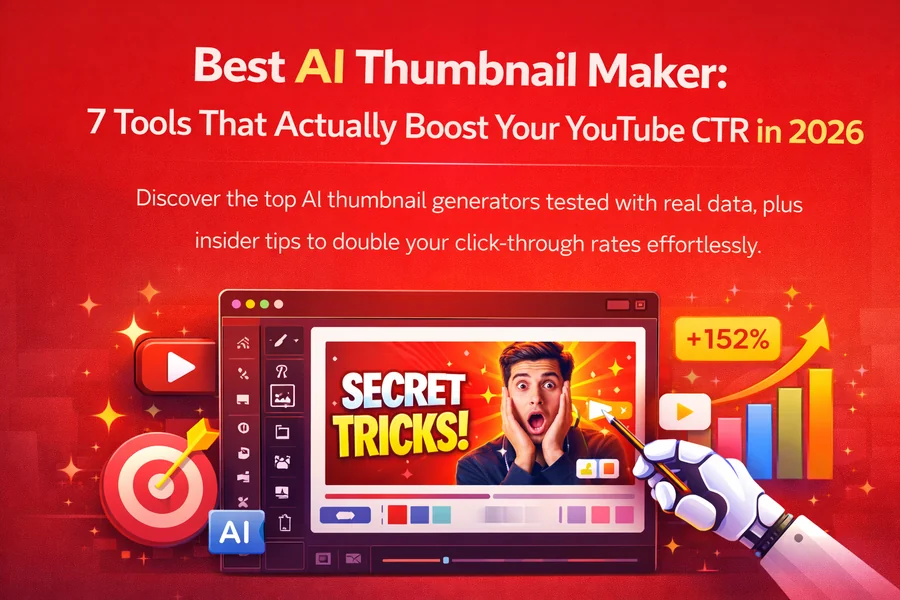
A compelling thumbnail can make a major difference in whether someone clicks on a video. On platforms such as YouTube, viewers often decide what to watch after seeing a small preview image, so clear visuals, readable text, and appealing colors matter. Free AI tools for thumbnail creation make it easier to produce attractive designs without advanced graphic design skills or expensive software.
These tools can help creators generate images, remove backgrounds, improve layouts, and experiment with different styles. Whether you publish tutorials, gaming videos, product reviews, or educational content, an effective thumbnail should communicate your video’s subject quickly. AI can speed up the design process while giving you more time to focus on your content.
Best Free AI Tools for Thumbnail Design
1. Canva
Canva is a convenient option for beginners who want to create thumbnails using ready-made templates. Its design editor includes text styles, shapes, image adjustments, and layout options. Depending on current availability and account type, users may also have access to AI-assisted image generation and editing features.
You can customize a template with your own photo, headline, and brand colors. Canva is especially helpful for creators who want consistent designs across multiple videos. Some advanced features and premium assets require a paid subscription, so check the free plan before starting a project.
2. Adobe Express
Adobe Express offers accessible graphic design tools and templates for social media content. Creators can use it to combine images, add headlines, adjust colors, and build polished thumbnail layouts. Certain AI features may also help with image creation and editing, depending on current plan availability.
It works well for users who prefer a straightforward interface without learning complex design software. For a professional appearance, keep the main subject prominent and use a short headline that remains readable on smaller screens.
3. Microsoft Designer
Microsoft Designer uses AI to help users create visual designs from written descriptions. It can be useful when you have an idea for a thumbnail but do not have a suitable background or supporting image.
For example, you could describe a futuristic gaming scene or a bright workspace for a productivity video. After generating a visual, review the composition and add your own text or branding. Available features and usage limits can vary, so check the current access terms.
4. Pixlr
Pixlr provides browser-based image editing tools for adjusting photos, removing backgrounds, and improving visual compositions. It can be useful when you already have a photograph but need to make it more suitable for a thumbnail.
You can crop the image, improve contrast, add text, and highlight the main subject. Some AI-powered functions may be limited by credits or subscription plans, but the platform can still be useful for basic editing tasks.
5. Fotor
Fotor combines photo editing, graphic design, and AI-assisted image tools. It can help creators enhance portraits, adjust image quality, and develop visual concepts for video covers.
Its editing options are useful for lifestyle channels, tutorials, reviews, and promotional videos. Before relying on a particular feature, check whether it is included in the free plan or requires credits. You can also use other creative resources, such as symbolhubb, when looking for inspiration for digital projects and online content.
How to Create Thumbnails That Get Attention
Start with one clear idea. A thumbnail should communicate the main topic quickly instead of trying to explain the entire video. Choose a strong image, keep the background simple, and make the subject easy to recognize.
Use a short headline rather than a full sentence. Two to five impactful words are often easier to read at a glance, although the ideal length depends on the topic. Choose a font with strong contrast against the background and avoid placing important text near the edges.
Color can help separate the subject from the background, but adding too many bright colors may make the design confusing. Similarly, facial expressions, objects, and visual symbols can attract attention when they genuinely relate to the video’s content.
Once your thumbnail is ready, preview it at a small size. If the subject or headline becomes difficult to understand, simplify the composition. You should also make sure the design accurately represents the video rather than promising something viewers will not find.
Tips for Getting the Most from Free AI Tools
Before choosing a tool, check its free-plan limits. Some services restrict AI generations, premium templates, image downloads, or high-resolution exports. Understanding these restrictions helps you avoid interruptions during a project.
Prepare a clear prompt when generating an image. Include the subject, setting, mood, lighting, and desired composition. For example, a prompt for a technology video might request a modern computer setup, dramatic lighting, a clean background, and space on one side for a headline.
Always review generated images for visual errors, unusual details, and misleading elements. AI-generated text can be unreliable, so adding headlines manually is usually a better choice. Save reusable templates with consistent colors, fonts, and logo placement to make future designs faster.
Final Thought
Free AI thumbnail makers can help creators produce professional-looking video covers without a large budget. Canva and Adobe Express are useful for template-based designs, while Microsoft Designer can help generate visual concepts. Pixlr and Fotor offer additional editing options for improving images and refining layouts.
The best choice depends on your experience, design goals, and preferred workflow. Test a few tools, compare their free features, and create several thumbnail versions before publishing. A clear subject, readable headline, and honest representation of your content will usually matter more than adding complicated effects.
FAQs
1. What are the best free AI tools for thumbnail creation?
Canva, Adobe Express, Microsoft Designer, Pixlr, and Fotor are useful options, although their free features and usage limits vary.
2. Can AI create YouTube thumbnails automatically?
Yes, some tools can generate images or suggest layouts from text prompts, but manual adjustments often improve readability and accuracy.
3. Do free AI thumbnail tools add watermarks?
Some tools may add watermarks or restrict exports on free plans, so review the download terms before designing your thumbnail.
4. What makes a thumbnail effective?
A strong thumbnail uses a clear subject, readable text, good contrast, and a design that accurately represents the video.
5. Do I need graphic design experience to use AI thumbnail makers?
No, many tools offer templates and guided editing features that help beginners create attractive thumbnails with minimal experience.
